
CheckMark Online 1099 allows you to manage multiple companies from a single account. Each company has its own subscription and maintains separate company information, recipients, forms, and filings.
Adding an Additional Company
You can add an unlimited number of companies to your account for $99 per company, and each company supports unlimited 1099 recipients.
Note: If your first company is subscribed to the E-File version, all additional companies must also use the E-File version. You cannot switch an additional company to the Print plan. The subscription fee is $99 per company, regardless of whether you use the Print or E-File version.
Adding a New Company
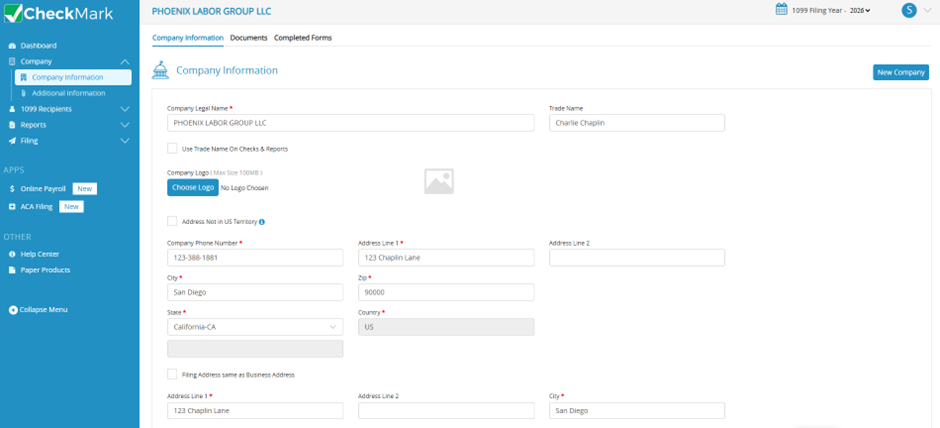
- From the left navigation menu, select Company > Company Information.
- Click New Company in the upper-right corner.
- Enter the following information:
- Company Name
- Trade Name (optional)
- Select the 1099 checkbox.
- Click Add New Company. You will be redirected to the Plan Selection page.
- Review the subscription details and cost.
- Click Proceed.
- Review your billing address and payment method. You can use your saved payment method or add a new one.
- Click Make Payment. The payment process begins automatically. The transaction may take a few moments to complete. During this time:
- Do not refresh the page.
- Do not click the browser’s Back button.
- Do not close the payment window.
- Once your payment is successfully processed:
- Your new company is added to your CheckMark Online 1099 account.
- The subscription for the new company becomes active immediately.
- A payment receipt is sent to your registered email address.
You can now begin setting up the new company by entering its company information, adding recipients, and creating or filing 1099 forms.